
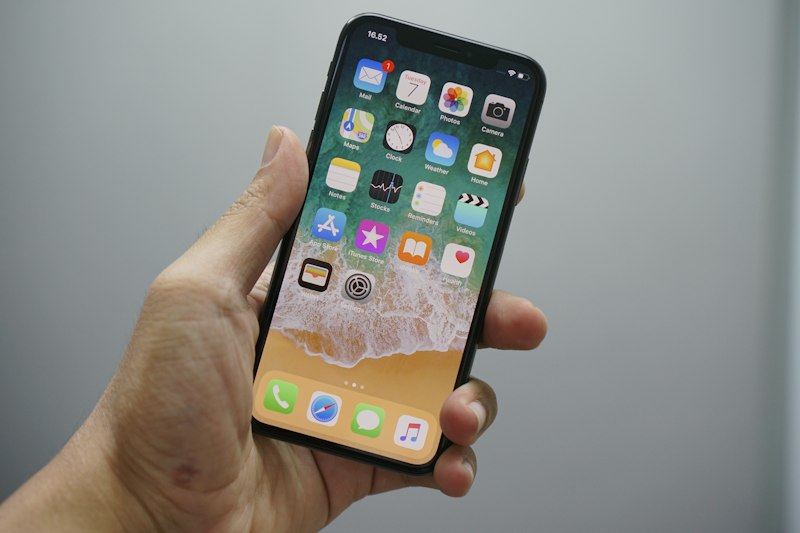
Photo by Sara Kurfess on Unsplash
Apple released iOS 26.4 on March 24, 2026, and while it's a point release, it packs some genuinely useful additions. But if you updated straight from iOS 25, there's a mountain of features from iOS 26.0 through 26.4 that you might have missed.
I went through every change note and picked the 30 features actually worth knowing about — no fluff, no "minor bug fixes." Let's go.
New in iOS 26.4 (March 2026)
These just landed this week:
1. Playlist Playground
Describe a mood, activity, or even a nonsensical phrase to Apple Music and it generates a full playlist using AI. Type "coding at 2am in the rain" and get exactly what you'd expect. This is Apple Music's answer to Spotify's AI DJ.
2. CarPlay AI Chatbot Support
Third-party AI chatbots — including ChatGPT, Claude, and Gemini — now work natively in CarPlay. Talk to your AI assistant while driving without touching your phone. This is huge for developers building voice-first AI experiences.
3. 8 New Emoji
Trombone, treasure chest, distorted face, hairy creature, fight cloud, orca, landslide, and ballet dancer. The orca was long overdue.
4. Stolen Device Protection (Default)
Now enabled by default on all devices. Biometric authentication required for sensitive changes, plus a one-hour delay for password modifications when away from familiar locations. If you had this off, it's back on.
5. Video Podcasts
Native video podcast playback in the Podcasts app with HLS streaming, audio/video switching, and offline downloads. No more bouncing to YouTube for video podcasts.
6. Reduce Bright Effects
A new accessibility setting to tone down the Liquid Glass animations that some users found too flashy. Found in Settings > Accessibility > Display.
7. Family Sharing Individual Payments
Family members can finally add their own payment methods instead of sharing one. The feature that should have existed from day one.
8. Average Bedtime Tracking
Health app now tracks and displays your average bedtime over the past two weeks. Simple, but useful for building better sleep habits.
Best of iOS 26.0 (If You Missed It)
The big September 2025 release brought a complete design overhaul and dozens of major features:
9. Liquid Glass Design
The biggest visual change since iOS 7. Every control, icon, widget, and navigation element now uses translucent glass-like material that reflects and refracts in real time. It looks stunning, but it's polarizing — some love it, some find it distracting (see #6 above).
10. Call Screening
Unknown callers must state their name and reason for calling. Apple Intelligence transcribes it in real time so you can read it before deciding to answer. Robocallers are effectively dead.
11. Hold Assist
Put a call on hold and your iPhone monitors the line. When a live agent picks up, you get a notification. No more sitting through 45 minutes of hold music.
12. Live Translation in Calls
Real-time translation during phone calls, Messages, and FaceTime. Runs entirely on-device — no data leaves your phone. Supports 20+ languages.
13. Message Polls
Create voting polls in iMessage conversations with up to 12 options. Apple Intelligence even suggests when a poll would be helpful ("Should we do Italian or Thai for dinner?").
14. Custom Chat Backgrounds
Set unique backgrounds per conversation — sky, water, aurora, photos, or AI-generated via Image Playground. Your group chat with college friends can look different from your work thread.
15. Apple Music AutoMix
AI-powered DJ transitions between songs using beat matching and time stretching. Your playlists now flow like a professional mix set.
16. Digital Passport in Wallet
Store U.S. passport info in Wallet for TSA verification. Currently U.S. only, but international expansion is expected.
17. Foundation Models Framework
For developers: integrate Apple's on-device AI models into your apps at no cost. This is Apple's answer to running local LLMs — but optimized for the Neural Engine. Huge for iOS developers building AI features.
18. Visual Intelligence
Point your camera at anything and get contextual information. Integrates with ChatGPT, Google, and Etsy for product searches. Combined with "Highlight to Search," you can isolate specific objects in photos.
19. Genmoji Mixing
Combine multiple emoji into custom characters. Merge a robot with a chef hat and get a cooking robot emoji. Or describe what you want in text and let AI generate it.
20. Spatial Scene Wallpapers
Convert any 2D photo into a 3D wallpaper with depth and subtle motion effects. Works surprisingly well on pet and landscape photos.
21. Lens Cleaning Indicator
iPhone detects when your camera lens is smudged and shows a subtle alert. The feature nobody asked for but everyone needs.
22. Preferred Routes
Maps learns your daily commute patterns and proactively alerts you about significant delays with alternatives. All processed on-device, encrypted end-to-end.
23. Games App
A dedicated gaming hub with Apple Arcade (200+ games), library management, leaderboards, and friend challenges. Apple is getting serious about mobile gaming.
24. AirPods Camera Remote
Press and hold your AirPods Pro stem to capture photos or start recording video. Hands-free content creation just got easier.
25. AirPods Studio Recording
Professional-grade audio capture via AirPods Pro 2/4. Podcast-quality voice recording without external microphones.
26. Adaptive Power Mode
Battery intelligence that adjusts brightness and background tasks when your usage exceeds normal patterns. Paired with enhanced battery graphs showing app-specific drain analysis.
27. Order Tracking Intelligence
Apple Intelligence scans your emails to auto-populate purchase tracking in Wallet. You'll see delivery updates without opening any shopping apps.
28. Preview App for iOS
PDF creation, viewing, and image editing tools — previously Mac-exclusive — now on iPhone. Finally.
29. Custom Ringtones via Files
Create ringtones directly from the Files app. No more GarageBand workaround that nobody could figure out.
30. Wi-Fi Aware
A new peer-to-peer connectivity standard for high-speed local file transfers. Faster than AirDrop for large files, and developers get a new API to build on.
Should You Update?
If you're on iOS 26.3 or earlier: yes. The CarPlay AI support, Stolen Device Protection default, and Playlist Playground are worth it alone.
If you're still on iOS 25: absolutely. Liquid Glass is a love-it-or-hate-it change, but the AI features (Call Screening, Hold Assist, Live Translation, Foundation Models) are genuinely transformative.
Update: Settings > General > Software Update.
Build iOS Apps Faster
If you're an iOS developer, check out our Android source code template — Kotlin + Jetpack Compose + AdMob, ready to customize and publish. Or explore our Python toolkits for developer passive income.
Browse Our ProductsFound this useful? Share it with a fellow Apple fan and drop a comment below.
Comments